
At a glance · Singapore Commercial Express Digital Printing
EZ Print prints flyers, booklets, posters and name cards in Singapore. Standard turnaround is 7–14 working days. There is no fixed express product list: express is quoted per job, against the specification and the date. Same-day and urgent printing available. Subject to artwork approval, payment, print type and production availability. Timing confirmed per job. Collection at Centennial Tower is by arrangement, with island-wide courier delivery.
When marketing campaigns, sudden product launches, unexpected trade delegations, or corporate conventions run on tight timelines, the standard production schedule may not fit. An overseas exhibitor finds that their marketing shipment has been held up; a conference organiser finds that registrations have outgrown the printed programme run; or a marketing team needs flyers in hand before an afternoon keynote.
Under that pressure, it helps to understand what actually sets a print date. The stock, the fold, the binding and the finishing each add their own step, and the file has to be right before any of them can start.
This guide sets out how to prepare, specify and brief urgent print collateral in Singapore: how express work is quoted, how flyers, booklets and posters are specified, the pre-press rules that avoid delays, and how handover is arranged.
1. The Express Printing Scope: Quoted per Job
Commercial print work runs on two routes: digital printing and offset lithography. Flyers are printed on a digital press for short runs and offset above a few thousand. Offset needs plates made and the press set up before the first sheet is printed, so a tight date usually points to a shorter digital run.
There is no fixed list of products that can or cannot run on an express schedule. Express is quoted per job: send the specification and the date and ask for an express quotation, and the specification, production schedule and next steps are confirmed in the quotation.
What Decides Whether a Tight Date Is Workable
What a tight date is worth depends on the stock, the fold and the finishing, because each of these is its own step:
- Lamination: A separate pass, because the film has to bond before the sheet can be creased without cracking.
- Folding heavy stock: Anything over 170 gsm is creased before it is folded, and creasing is its own pass.
- Perfect binding: The glue has to cure before the book can be trimmed, and that cure is a fixed number of hours no schedule shortens.
- Custom shapes: A cutting die or contour path is made before the first cut.
- Foil and spot UV: Each needs its own tooling made before it can be applied.
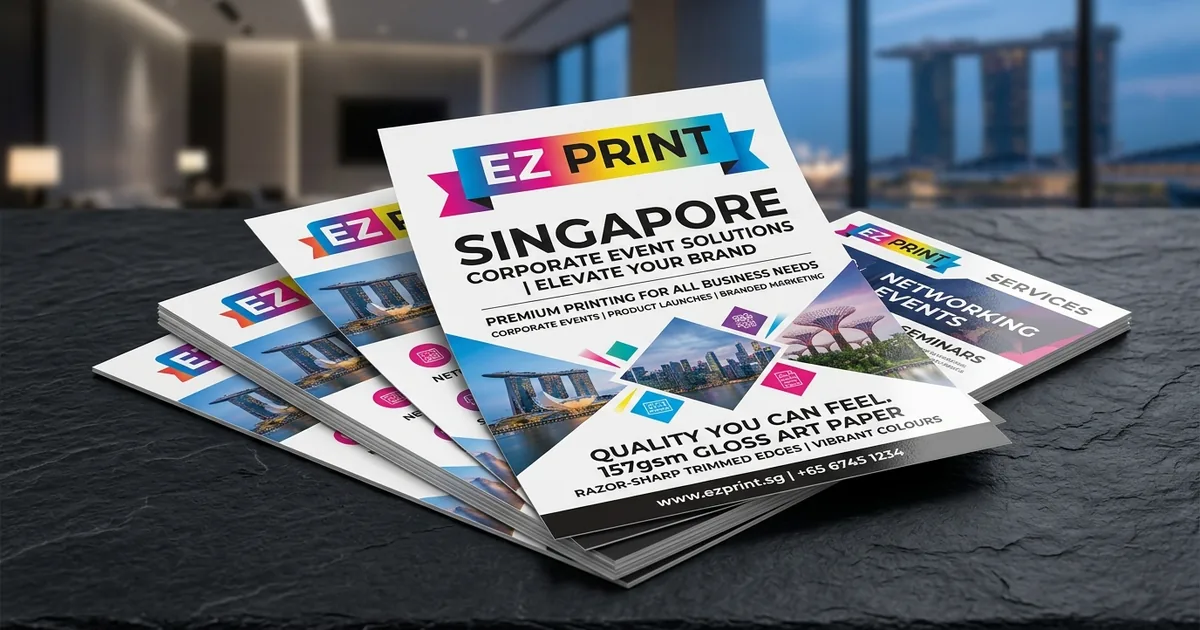
Figure 1: Commercial flyers printed on 157 gsm gloss art paper and trimmed to size.
2. Express Digital Flyers: Substrates, Grammage & Machine Scoring
Flyers are a staple of Singapore trade shows, property roadshows, retail launches, and corporate recruitment drives. On a tight date, choosing the stock decides not only how your brand feels in the hand, but how many passes the flyer needs before it can be delivered.
Coated Art Paper vs. Uncoated Stock
| Paper Type | Weight (GSM) | Surface Texture | Visual Tone | Best Application |
|---|---|---|---|---|
| Gloss Art Paper | 128 gsm | Smooth, coated | High chroma | Letterbox drops, mass event handouts |
| Gloss Art Paper | 157 gsm | Smooth, coated | Photographs hold their snap | Product promotions, exhibition takeaways |
| Matt Art Card | 310 gsm | Matt, card weight | Even solids, no glare | Launches, property, clinics, anything that has to survive a bag |
| Uncoated Woodfree | 300 gsm | Completely matt | Softer colour, warm in the hand | Workshops, clinics, anything with a form or a booking slot |
Grammage Selection and Folding Physics
A common pre-press miscalculation involves paper weight and folding behaviour. Above about 170 gsm, the coating on the outside of the fold is under enough tension to split, and it shows as a white line down the middle of the panel.
- Lighter Stocks (128 gsm to 157 gsm): Gloss art paper at these weights folds without a creasing pass, so a tri-fold or Z fold goes straight from printing to folding.
- Heavy Card Scoring (over 170 gsm): Card such as 310 gsm matt art card cannot be folded directly. It is creased first, which crushes the fibre along the line before the fold. A flat flyer is one pass, a folded one is two, and a laminated folded one is three, because film has to bond before a sheet can be creased without cracking. On a tight date, a flat, unlaminated flyer needs the fewest passes.
Standard Commercial Flyer Formats in Singapore
- A4 (210 × 297 mm): Product sheets, tender summaries, and announcements; a poster you can hand over, and the flat size of a DL tri-fold.
- A5 (148 × 210 mm): The most common flyer size; big enough for a headline and an image, small enough to carry in a delegate bag.
- DL (99 × 210 mm): One third of A4; the standard rack and envelope size in Singapore.
- A6 (105 × 148 mm): Postcard scale; fits a pocket without folding, for promotion cards, vouchers, and counter handouts.
3. Saddle-Stitched Digital Booklets: The Mathematics of Express Digital Production
When a document runs past a few pages, loose sheets look disorganised. A common binding for event programmes, conference schedules, seminar workbooks, and company profiles is Saddle Stitching: the sheets are folded, gathered, and stitched through the fold.
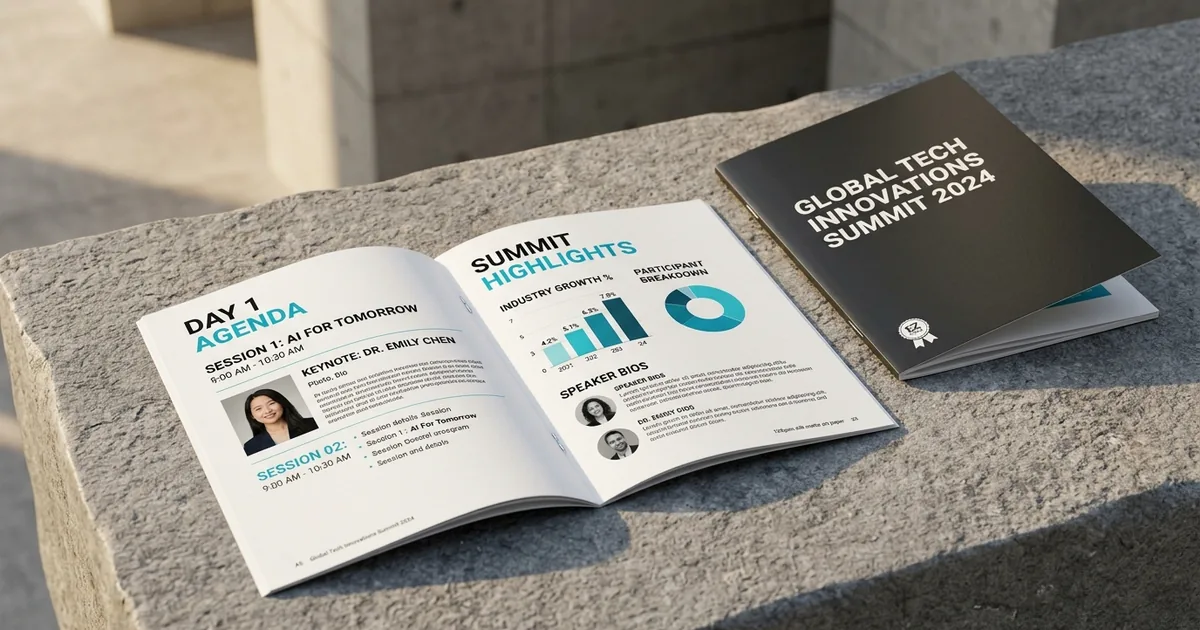
Figure 2: Saddle-stitched booklets, stapled through the folded spine, with multi-column typography.
The Multiples-of-Four Rule (4pp Mathematics)
A saddle-stitched booklet is built from larger sheets folded in half. One folded sheet is four printed pages (4pp), two on each side:
- Front Cover (Page 1)
- Inside Front Cover (Page 2)
- Inside Back Cover (Page 3)
- Back Cover (Page 4)
Because every sheet added to the booklet introduces four pages, the total page count of a saddle-stitched booklet must be divisible by four:
- Saddle stitch takes multiples of four, from 8 pages to about 64.
- A 22-page document becomes a 24-page booklet with two blanks. Planning the extra pages, as notes pages or blanks stated explicitly, is better than finding them at the imposition stage; the alternative is to condense the content.
Page Count vs. Binding Feasibility
| Binding | Page Count | Spine | Opening | When to Choose It |
|---|---|---|---|---|
| Saddle Stitch | Multiples of four, 8 to about 64 pages | No printable spine | Opens nearly flat | Event programmes, seminar workbooks, catalogues |
| Perfect Binding | From about 40 pages | Square printable spine | Does not open flat | Longer books and anything kept on a shelf; the glue cures before the book can be trimmed |
| Wire-O | Any page count | No printable spine | Opens completely flat and folds back on itself | Manuals and workbooks used while working |
The heavier the text stock, the fewer pages a saddle stitch will take before the book stops closing. Past about 64 pages on 157 gsm, perfect binding is the honest answer rather than a heavier staple.
Understanding “Creep” (Shingling) in Thick Booklets
As folded sheets are nested inside one another, the thickness of the paper pushes the inner pages outward. When the booklet is trimmed along the face edge, the outer margin of the centre spread trims narrower than the cover.
In pre-press terminology, this is called Creep (or Shingling). It is compensated in the imposition, not in your file, which is one reason a booklet is supplied as single pages rather than spreads.
If page numbers or running headers sit too close to the outer edge, the trim can cut into them on the inner pages.
Pre-Press Defence: On a thick saddle-stitched book, keep anything critical 8 mm clear of the outer trim, and keep 12 mm clear of the spine edge.
4. Express Digital Indoor Posters: Resolution, Substrates & Viewing Distance
When an executive meeting room, exhibition booth, or hotel ballroom needs directional signs or brand presence at short notice, posters provide high-impact visual communication. Two things decide a poster: how far away it is read from, and what it is fixed to.
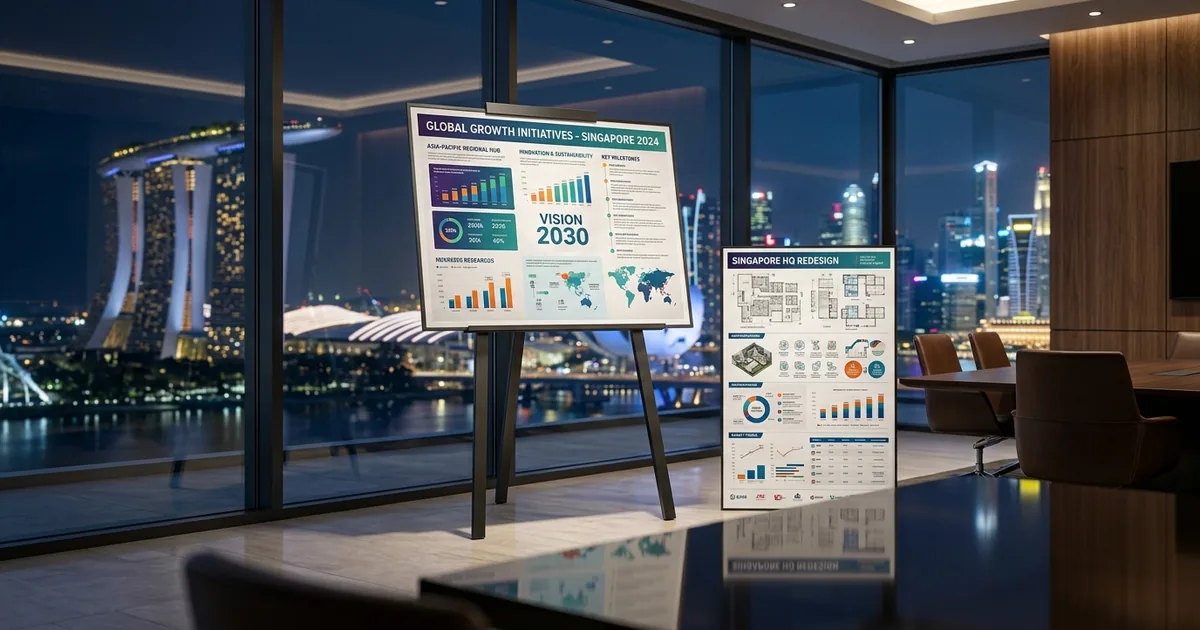
Figure 3: A1 and A2 presentation posters mounted on an easel stand, showing technical charts and infographics.
Substrate Comparison for Indoor Venues
- 157 gsm Gloss Art Paper:
- Characteristics: The indoor display stock. Replaceable, and correct for anything on a monthly cycle.
- Best Application: Posters inside a frame, noticeboards, and displays that are changed regularly.
- 310–350 gsm Matt Art Card:
- Characteristics: For a poster that stands on its own. Matt laminated, it sits in an easel frame without curling and photographs without glare.
- Best Application: Easel displays, keynote presentations, and sponsor boards.
- 200 Micron Synthetic Stock:
- Characteristics: Not paper. It does not absorb water, does not tear along a fold, and does not go soft in humidity.
- Best Application: Lift lobbies, convention corridors, and registration counters, where handling or humidity would turn an art-paper poster wavy.
Standard Poster Formats and DPI Resolution Rules
| Standard Size | Dimensions (mm) | Resolution at Final Size | Viewing Distance | Common Venue Application |
|---|---|---|---|---|
| A3 | 297 × 420 mm | 300 dpi | About a metre | Desk signage, breakout room agendas, counter notices |
| A2 | 420 × 594 mm | 200 dpi | A metre and a half | Boardroom easel stands, sponsor display boards |
| A1 | 594 × 841 mm | 150 dpi | Two metres | Exhibition entrance easels, stage welcome signs |
| A0 | 841 × 1189 mm | 100 dpi | Three metres or more | Keynote stage backdrops, convention venue maps |
Pre-Press Reality: A logo or image pulled off a website at 72 dpi is adequate on screen, but scaled up to A1 it pixelates. Resolution is set by viewing distance rather than by size, so placed images should hold 300 dpi to A3, 200 dpi at A2, 150 dpi at A1, and 100 dpi at A0, at final size.
5. Basic Digital Print Products: Presentation Decks & Seminar Notes
Corporate training institutions, financial advisory firms, management consultancies, and legal teams often require urgent meeting materials for closed-door discussions. These basic digital print products demand high legibility, clean organisation, and durable binding.
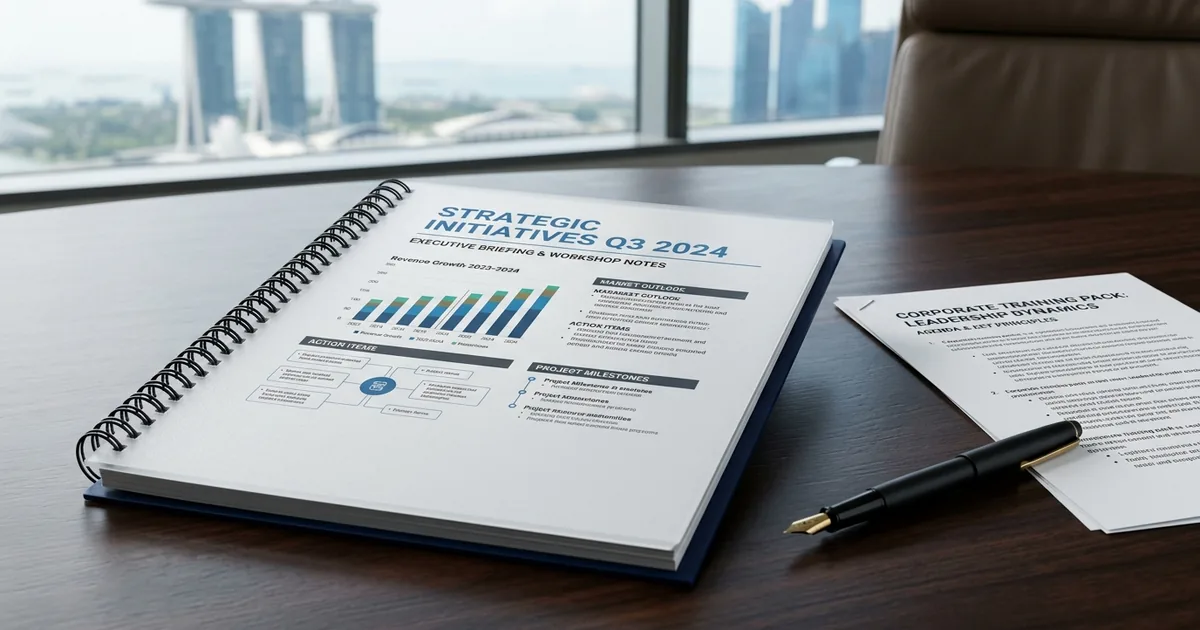
Figure 4: Wire-O bound corporate presentation folio with a clear frosted protective cover, woodfree text paper, and dark card backing.
Binding Systems for Urgent Document Packs
- Wire-O Binding:
- Functionality: Punched, then wired. Takes any page count.
- Advantage: Opens completely flat and folds back on itself, so it stays open on a conference table. Suits executive decks, tender documents, manuals, and workbooks used while working.
- Saddle Stitching:
- Functionality: Folded, gathered, and stitched through the fold, in multiples of four pages from 8 to about 64.
- Advantage: Opens nearly flat; suits seminar notes, programmes, and briefing packs.
- Perfect Binding:
- Functionality: Pages glued into a square spine, from about 40 pages.
- Advantage: A printable spine, so a document that will sit on a shelf can be found. The glue cures before the book can be trimmed, so plan that into the date.
Material Specifications for Internal Seminar Documents
- Body Pages: Simili text paper, the light uncoated text paper most manuals, workbooks, and internal reports are run on. It is uncoated and absorbent, so ballpoint pens, gel pens, and highlighters write on it cleanly, where a pen skids on coated art paper. The weight is settled on the quote.
- Cover: 310–350 gsm matt or gloss art card, laminated on the outside face to stop scuffing, or 300 gsm uncoated woodfree where the document should feel like a notebook rather than a catalogue.
6. The 6 Pre-Press Rules to Avoid Digital Press Delays
Many urgent print delays start in the file, and file problems are visible before the press is switched on. Artwork is checked before production; when submitting files for an express job, a file that already follows these pre-press rules goes through that check without being sent back for changes:
Rule 1: Provide 3 mm Bleed on All Sides
Printed sheets are trimmed down to final dimensions on a guillotine, and guillotine tolerance across a lift of two thousand sheets is around a millimetre. Artwork that stops exactly at the trim line will show thin white slivers along some edges.
Action: Extend all background colours, photos, and decorative patterns 3 mm beyond the cut border (5 mm on A1 and A0 posters). An A4 flyer (210 × 297 mm) is drawn at 216 × 303 mm.
Rule 2: Convert All Typography to Vector Outlines (Curves)
If your artwork uses a corporate font that is not installed on the print server, the RIP engine will automatically substitute a default serif or sans-serif font, destroying paragraph leading, line wrapping, and headline formatting.
Action: Supply fonts outlined, or fully embedded; outlined is safer if you are unsure. In Adobe Illustrator or InDesign, select all elements and execute Ctrl+Shift+O (Cmd+Shift+O on macOS) to convert all text glyphs into closed vector outlines.
Rule 3: Build Files in CMYK (Never RGB)
Computer displays, tablets, and mobile screens emit light using RGB color space (Red, Green, Blue). Digital commercial printing presses apply physical cyan, magenta, yellow, and black pigments.
Submitting an artwork file built in RGB forces the RIP processor to perform an automatic color conversion. Highly saturated screen colors—particularly vivid neon greens, electric cyans, and bright magentas—fall outside the physical CMYK color gamut and will shift to muted, darker tones.
Action: Set document color mode to CMYK and export as PDF/X-4.
Rule 4: Keep Text Inside the Safe Margin
Never place vital text, contact numbers, email addresses, or partner logos close to the cut edge. A small shift at the guillotine is enough to cut into the tops of the letters, and the margin looks uneven from piece to piece.
Action: Keep all functional text and logos at least 5 mm inside the trim line on a flyer (7 mm on a folded panel), 4 mm on a name card, and 10 mm on a poster. On a thick saddle-stitched booklet, keep anything critical 8 mm clear of the outer trim.
Rule 5: Set Small Black Text to K100 (Single-Channel Black)
Rich black, built as C60 M40 Y40 K100, is a build for large solids. On small body text it asks four colours to register on every individual character, and any slight misregistration shows as coloured halos (fringing) around thin letters.
Action: Set all small text to K100 only, 7 pt minimum on coated stock.
Rule 6: Submit Multi-Page Booklets as Single Sequential Pages
Do not submit multi-page booklets as pre-imposed printer spreads (for example, the first and last pages placed together on one spread). Imposition depends on the binding, the page count, and the creep, so a file that has already been paired up has to be taken apart before it can be used.
Action: Export your multi-page booklet as a single multi-page PDF of single pages in reading order, page one being the front cover.
7. Singapore CBD Logistics: Collection & Delivery Coordination
Meeting an urgent printing deadline requires the handover to be planned as carefully as the print. Completed work is either collected from Centennial Tower by arrangement or sent by island-wide courier delivery:
[ Artwork Submission & Preflight ]
                   │
                   ▼
[ Printing & Finishing ]
                   │
                   ▼
        ┌─────────────────────┐
        │  Handover Channel   │
        └──────────┬──────────┘
                   │
         ┌─────────┴─────────┐
         ▼                   ▼
[ Centennial Tower ]       [ Courier Delivery ]
  · 3 Temasek Avenue         · Island-wide
  · By arrangement           · Venue stated in the brief
Central CBD Collection Point: Centennial Tower
- Location: Centennial Tower, #21-00/01, 3 Temasek Avenue, Singapore 039190.
- Collection: Collection by arrangement — tell us when you would like to collect and we will confirm the time.
- Access Protocol: Suits exhibitors, speakers, and corporate event staff who would rather collect completed cartons by arrangement than wait for courier dispatch.
Direct Venue & Hotel Courier Dispatch
Island-wide courier delivery covers Singapore. For clients managing set-ups on exhibition floors, point-to-point courier delivery to the venue can be arranged; the brief should say exactly where the cartons are to go:
- Convention Centres and Exhibition Halls: State the venue, the hall or booth number, and the loading or handover point.
- Offices: State the building, the floor, and whether delivery goes to a security desk or a reception.
- Hotels: State the hotel, the function room, and the name the concierge desk should hold the delivery under.
8. How to Brief Your Order for an Express Quotation
Every job is quoted from its specification — stock, quantity, sides, finish, size and deadline. A complete first brief lets the specification, production schedule and next steps be confirmed in the quotation:
- Product: State the product, for example flyers, a saddle-stitched booklet, posters, or name cards.
- Dimensions & Page Count: Specify finished trim dimensions (e.g. A5 flyer 148 × 210 mm or 24-page A5 booklet).
- Paper Substrate & Weight: Specify material preference (e.g. 157 gsm gloss art paper or 310 gsm matt art card).
- Exact Quantity: State precise copy requirements (e.g. 300 booklets or 2,000 flyers).
- Target Handover Deadline: State the date, the time, and the place it is needed (e.g. the venue, the hall or booth, and the set-up time).
- Print-Ready Artwork: Attach the bleed-compliant PDF/X-4 file directly with your enquiry.
Standard turnaround is 7–14 working days. Express is quoted per job.
Frequently asked questions
Why must a saddle-stitched booklet have a page count in multiples of four?
A saddle-stitched booklet is built from larger sheets folded in half, and each folded sheet gives four pages. Every sheet added therefore adds four pages, so the total must run in multiples of four. If the content does not fit, add notes or blank pages or condense it, and supply the booklet as a single PDF of sequential pages in reading order, not as printer spreads.
How much bleed and safe margin does a flyer need?
Extend all background colours, photos and decorative patterns 3 mm beyond the cut border, so an A4 flyer of 210 × 297 mm is drawn at 216 × 303 mm. Keep all functional text, contact details and logos at least 5 mm inside the trim line, and 7 mm on a folded panel, because a small shift at the guillotine can cut into the tops of the letters.
Should I send print files in RGB or CMYK?
Build files in CMYK. Screens emit light in RGB, while printing presses apply cyan, magenta, yellow and black, so an RGB file forces an automatic colour conversion in which vivid neon greens, electric cyans and bright magentas can shift to muted, darker tones. Converting text to outlines also stops a missing font being substituted, which would otherwise disrupt line wrapping and headline formatting.
Immediate Urgent Assistance & Quotation
- Online Quote Builder: Submit an Urgent Print Brief
- Direct Express WhatsApp: +65 8208 7778
- Full Same-Day Availability Terms: Same-Day Printing Guidelines
- CBD Business Cards: Urgent Corporate Name Cards Singapore CBD
Same-day and urgent printing available. Subject to artwork approval, payment, print type and production availability. Timing confirmed per job.
Same-day and urgent printing available. Subject to artwork approval, payment, print type and production availability. Timing confirmed per job.